
Introduction: Why URL Indexing Tools Matter in 2026
Publishing a new website, launching a landing page, or creating an SEO campaign is only part of the process of building organic visibility. Search engines also need to discover your URLs, crawl accessible pages, process their content, and decide whether those pages should appear in search results. Finding the Best URL Indexing Tools 2026 has become a top priority for technical marketers.
This is where URL indexing workflows become important.
Imagine publishing 50 new blog posts for a growing business. You have researched the keywords, written helpful content, optimized the titles, added internal links, and submitted your sitemap. However, some pages still do not appear in Google Search. You now need to understand whether those URLs have been discovered, crawled, indexed, or excluded for a specific reason.
Checking every URL manually can become time-consuming, especially when you manage multiple websites or client campaigns. URL inspection tools, search engine webmaster tools, technical SEO crawlers, and bulk URL submission platforms can help organize this work.
In this guide, we explore the best URL indexing tools in 2026, explain what each category does, and show how SEO professionals can choose the right solution for their needs.
We will also discuss **1ClickIndexer**, a URL indexing workflow platform that you can explore for bulk URL processing and indexing-related tasks. Rather than assuming every tool provides the same functionality, we will explain how to evaluate features, limitations, pricing, and reporting before choosing a platform.
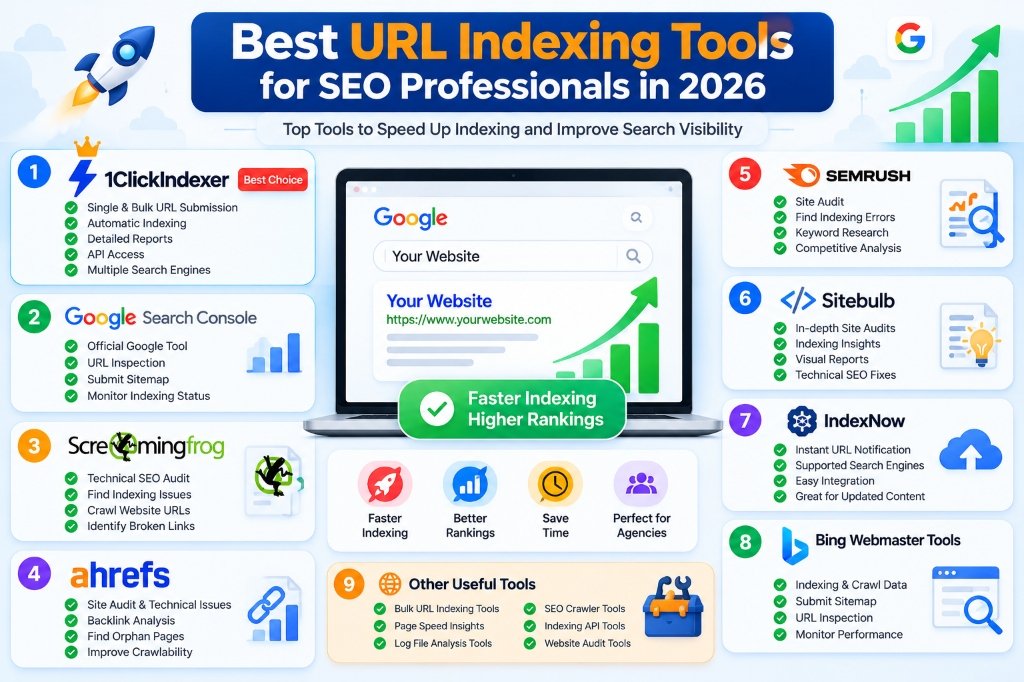
📷 Best URL Indexing Tools for SEO Professionals in 2026 — Complete Comparison
What Is a URL Indexing Tool?
A URL indexing tool is a software application or service that helps website owners and SEO professionals investigate, manage, or support the process of getting web pages discovered by search engines.
Different tools perform different functions. Some inspect a page's technical configuration, some report indexing information from a connected search engine account, and others provide URL submission or processing workflows.
Understanding these differences is important because the words crawling, submission, indexing, and ranking are often used interchangeably in marketing materials even though they describe different outcomes.
How the URL indexing process works
The general process involves several stages.
1. URL discovery
A search engine learns that a URL exists. Discovery can happen through internal links, external links, XML sitemaps, and other available signals.
2. Crawling
The search engine attempts to access the URL and retrieve its content. Server errors, access restrictions, and robots.txt rules can affect this stage.
3. Processing
The search engine analyzes the page's content, links, canonical information, and other technical signals.
4. Indexing decision
The search engine determines whether and how the page should be included in its index. Discovery and crawling do not guarantee indexing.
5. Ranking
If a page is indexed, it may be eligible to appear for relevant searches. Its actual position depends on many factors, including relevance, quality, competition, and Google's ranking systems.
A useful indexing workflow helps you identify problems and manage URLs efficiently. It cannot bypass every stage or force a search engine to accept a page.
Best URL Indexing Tools 2026: Our Recommended Options
There is no single best tool for every website. The right choice depends on the number of URLs you manage, the type of diagnostics you need, your budget, and whether you require Google-specific indexing data or a bulk submission workflow.
Here are the main tools and categories worth considering.
1. Google Search Console
Google Search Console is one of the most important tools for anyone who wants to understand how their website performs in Google Search.
It provides reports about indexing, search performance, sitemaps, and certain technical problems. Its URL Inspection tool allows website owners to inspect a URL on a verified property and review information Google provides about its indexing status.
Best for: Website owners, bloggers, SEO specialists, developers, and agencies investigating Google Search visibility.
Useful capabilities include:
- Inspecting individual URLs.
- Reviewing available indexing information.
- Submitting XML sitemaps.
- Identifying reported indexing problems.
- Reviewing search impressions, clicks, and queries.
- Requesting indexing for eligible URLs.
Limitations: Search Console is not a universal bulk indexing guarantee. A request to index a URL does not guarantee that Google will crawl, index, or rank it.
Our recommendation: Use Google Search Console as a primary diagnostic source whenever you are troubleshooting a Google indexing problem.
Official resource: https://search.google.com/search-console/
2. 1ClickIndexer
1ClickIndexer is a URL indexing workflow platform for users who want to manage URL submission and processing tasks.
SEO professionals often work with lists of URLs generated through content publishing, technical audits, backlink campaigns, and website updates. Managing these lists manually can become difficult when the number of URLs grows.
A dedicated platform can provide a more organized way to handle supported URL workflows, depending on its features and plan.
Best for: SEO professionals, website owners, and agencies evaluating a dedicated URL processing workflow.
Potential use cases include:
- Organizing URL lists for processing.
- Managing bulk URL submissions where supported.
- Working with URLs from multiple SEO projects.
- Reviewing available processing reports.
- Evaluating API access and automation options where included in the selected plan.
Before using any service, verify exactly what it submits, which search engines or workflows it supports, what reports it provides, and what its credits or usage limits cover.
Why consider 1ClickIndexer?
If your workflow involves handling many URLs, a dedicated platform may help centralize URL processing instead of relying entirely on manual operations. Whether it is the right choice depends on your volume, technical requirements, budget, and reporting needs.
You can explore the platform, its currently available features, and plans at 1ClickIndexer.com.
3. Screaming Frog SEO Spider
Screaming Frog SEO Spider is a technical SEO crawler that helps users examine website URLs and identify common site-level problems.
It can be useful when Google is not indexing website pages and you need to investigate the underlying technical configuration.
Best for: Technical SEO audits, medium-sized websites, and agencies examining website structure.
Depending on configuration and edition, its capabilities can help identify:
- Broken links and response codes.
- Redirects.
- Canonical tags.
- Robots directives.
- Page titles and meta descriptions.
- Internal linking problems.
- Duplicate or similar page elements.
Why it matters: If a page returns an error, contains an unexpected noindex directive, or points to an incorrect canonical URL, submitting it through another service will not solve the underlying issue.
A technical crawler helps you investigate these problems before spending time on additional URL processing.
Official resource: https://www.screamingfrog.co.uk/seo-spider/
4. Ahrefs Site Audit
Ahrefs offers SEO tools that can help website owners investigate technical issues and monitor other aspects of organic search performance.
Its Site Audit functionality is useful for identifying technical problems that may affect website quality, crawling, and discoverability.
Best for: SEO teams that want technical auditing alongside broader SEO research.
Depending on the plan and configuration, users can investigate issues related to internal links, redirects, broken pages, and other technical elements.
Important distinction: A technical audit is not the same as an authoritative Google indexing report. Use Google Search Console when you need Google-specific indexing information.
Official resource: https://ahrefs.com/site-audit
5. Semrush Site Audit
Semrush provides SEO auditing and research capabilities for website owners, marketers, and agencies.
Its Site Audit tool can help identify technical issues that deserve attention before you investigate individual URLs in Search Console.
Best for: SEO professionals managing ongoing audits and broader optimization projects.
Potential audit areas include:
- Crawlability and internal linking.
- Redirect problems.
- Broken pages.
- Duplicate page elements.
- Metadata issues.
- Other technical SEO recommendations.
The precise features available depend on the product and subscription.
Why use it? It can help prioritize technical work across a website rather than relying exclusively on individual URL checks.
Official resource: https://www.semrush.com/siteaudit/
6. Sitebulb
Sitebulb is a website auditing tool designed to help users understand technical SEO issues and website structure.
Its visual reports and audit explanations can be useful when diagnosing complicated websites.
Best for: Technical SEO consultants, agencies, and users who want detailed crawl analysis.
It can help investigate internal links, crawlability, redirects, and other website architecture issues.
Limitation: A crawler can identify problems on the website it can access, but it cannot guarantee that Google will index every URL it discovers.
Official resource: https://sitebulb.com/
7. Bing Webmaster Tools
Bing Webmaster Tools helps website owners understand their websites' performance and technical status within Bing's search ecosystem.
It includes webmaster features such as sitemap management and URL inspection capabilities. Certain submission features may also be available depending on the workflow.
Best for: Website owners who want to monitor visibility beyond Google.
Remember that Bing and Google operate different search systems. A URL being indexed in one search engine does not guarantee inclusion in another.
Official resource: https://www.bing.com/webmasters/
8. IndexNow
IndexNow is a protocol that allows participating search engines to receive notifications when website URLs are added, updated, or deleted.
It is designed to improve the notification process for supported search engines. It should not be confused with a guarantee that every notified URL will be indexed.
Best for: Websites that frequently publish or update content and want to notify participating search engines about changes.
Before implementation, confirm which search engines support the protocol and follow the current official implementation documentation.
Important: IndexNow is not a universal replacement for Google Search Console or Google's normal crawling and indexing systems.
Official resource: https://www.indexnow.org/
9. Google PageSpeed Insights
Google PageSpeed Insights evaluates page performance and provides information related to loading behavior and user experience.
It is not a dedicated URL indexing tool. However, performance and technical reliability are part of maintaining a healthy website, so it can complement an indexing investigation.
Best for: Developers and website owners diagnosing performance problems.
Use it alongside Search Console and technical crawlers rather than expecting a performance report to tell you conclusively whether Google has indexed a URL.
Official resource: https://pagespeed.web.dev/
10. A URL Indexing API or Bulk Processing Platform
Some SEO services provide API access or bulk URL processing features. These can be helpful when teams manage large URL lists or want to integrate supported operations into their existing workflows.
Before choosing such a platform, review:
- The actual API documentation.
- Authentication requirements.
- Supported request types.
- Rate limits and usage limits.
- Response and error reporting.
- Data retention and privacy terms.
- Whether it provides submission status, crawl information, or actual indexing evidence.
Do not assume that every third-party URL indexing API is Google's official Indexing API. Google's official Indexing API has specific supported use cases and should not be treated as a general-purpose indexing API for every type of website content.
URL Indexing Tools for SEO Professionals: How to Choose
Choosing the right tool becomes easier when you first identify the problem you are trying to solve.
For example, a website with a noindex problem needs a technical fix. A large URL list may need better processing and reporting. A page already indexed but receiving no traffic requires a different investigation.
Consider your website size
A small blog may only need Search Console, an accurate sitemap, and occasional technical checks.
A large eCommerce website may require a crawler, URL management processes, log analysis, and a structured monitoring system.
An agency managing multiple client websites may need a combination of tools, depending on access permissions and reporting requirements.
Evaluate the type of data provided
A tool should clearly distinguish between:
- URL submitted.
- URL accepted for processing.
- URL discovered.
- URL crawled.
- URL indexed.
- URL ranking for a query.
These statuses represent different events. A submission receipt does not prove that a URL is indexed.
Review bulk-processing requirements
If you work with hundreds or thousands of URLs, check whether a tool supports the file formats, limits, exports, and workflows you need.
Do not purchase a large plan solely because it advertises high submission volumes. Confirm how credits are consumed, whether they expire, and what each processing action represents.
Check integration and automation features
Some teams benefit from API access, webhooks, scheduled reports, or CSV exports. Others may not need these features.
Review the current documentation before choosing a subscription, and make sure the integration fits your existing workflow.
Compare total cost
A useful comparison should include the subscription price, included usage, overage costs, team access, and any additional tools required.
A lower-cost tool may be sufficient for a small website. A larger agency may prioritize reliable reporting, automation, and the ability to audit multiple projects efficiently.
Comparison of the Best URL Indexing Tools in 2026
The following table compares tools by their main purpose rather than claiming that one service is universally superior.
| Tool | Primary purpose | Best suited for |
|---|---|---|
| Google Search Console | Google-specific indexing and search reporting | All website owners |
| 1ClickIndexer | Dedicated URL submission and processing workflow | SEO professionals evaluating bulk workflows |
| Screaming Frog SEO Spider | Technical website crawling | Technical SEO audits |
| Ahrefs Site Audit | Technical auditing and SEO research | SEO teams and agencies |
| Semrush Site Audit | Website auditing and broader SEO workflows | Marketing teams |
| Sitebulb | Technical site analysis | SEO consultants |
| Bing Webmaster Tools | Bing-specific webmaster reporting | Website owners targeting Bing |
| IndexNow | Change notifications to participating search engines | Frequently updated websites |
| PageSpeed Insights | Page performance analysis | Developers and website owners |
1ClickIndexer Review: Is It Worth Considering?
When evaluating 1ClickIndexer, the most important question is whether its available functionality fits your URL management workflow.
The platform can be considered by SEO professionals who need a dedicated place to manage URL submission and processing tasks. Before purchasing a plan, review the current pricing, supported features, and documentation on its official website.
What should you evaluate?
1. Bulk URL processing
If you regularly handle long URL lists, determine whether the platform supports your preferred workflow and required volume.
2. Reporting
Find out whether the platform reports successful submissions, processing events, crawler activity, or other metrics. These are not equivalent to confirmed Google indexing.
3. API availability
If you want to automate your workflow, confirm the supported endpoints, authentication methods, limits, and API access available under the plan you intend to purchase.
4. Pricing and credits
Compare the available plans against your expected usage. Understand what counts as a credit, whether credits expire, and whether there are any additional charges.
5. Support and documentation
Look for clear documentation, understandable reports, and an accessible support process. These factors matter when you are managing client projects.
Who might benefit from 1ClickIndexer?
The platform may be worth evaluating if you:
- Manage URL lists for multiple SEO projects.
- Publish content frequently.
- Need a dedicated URL processing workflow.
- Want to investigate available bulk submission or automation features.
- Prefer a centralized interface for supported indexing-related tasks.
It may be unnecessary for someone who manages a small website, rarely publishes content, and already has an effective workflow with Search Console and a sitemap.
What 1ClickIndexer cannot guarantee
A responsible review should distinguish workflow features from search engine outcomes.
No third-party platform can promise that Google will index every submitted URL, assign a particular ranking, or deliver a guaranteed amount of organic traffic.
Google's decision depends on its own crawling, indexing, quality, and ranking systems. A technically valid URL can remain unindexed, and an indexed page can still receive little traffic.
You can explore 1ClickIndexer to review its currently available features and determine whether it matches your needs.
What Is the Difference Between a Google Indexing Tool and a URL Submission Tool?
These terms are often used interchangeably, but they can describe different functions.
A Google indexing tool may refer to a tool that helps investigate Google indexing status or supports a relevant workflow. A URL submission tool sends or manages URL information through a supported submission method.
A third-party service may report that a URL was submitted successfully without having evidence that Google subsequently indexed it.
For accurate reporting, separate submission status from indexing status. Use Google Search Console to investigate Google-specific information for your verified website.
This distinction is especially important when reporting SEO work to clients. It is more accurate to report the number of URLs submitted and the number confirmed indexed through an appropriate source than to label every submitted URL as indexed.
Best Bulk URL Indexing Tool for SEO Agencies
Agencies often manage many websites and URL lists at the same time. Their needs may include URL organization, technical audits, reporting, automation, and client communication.
A useful bulk URL indexing workflow should make it easy to identify which URLs need attention and what action was taken.
Recommended agency workflow
Step 1: Collect the URLs
Gather the URLs from the website sitemap, content publishing workflow, or a technical audit.
Step 2: Remove duplicates
Normalize URL formats and identify unnecessary parameters, duplicate versions, and redirecting URLs.
Step 3: Check technical eligibility
Verify that important pages return the expected HTTP response, are accessible to search engines, and have appropriate canonical and indexing directives using a bulk URL indexability checker.
Step 4: Prioritize valuable pages
Focus on pages that serve a clear purpose, such as important service pages, original research, useful guides, and key product pages.
Step 5: Use the appropriate workflow
Submit or manage eligible URLs through the relevant tools. If you use 1ClickIndexer or another third-party platform, confirm its actual submission capabilities and limitations.
Step 6: Monitor results
Use Search Console and other suitable sources to track indexing status and identify remaining problems.
Step 7: Report accurately
Separate the number of URLs processed from the number of URLs confirmed indexed. Include unresolved errors and next steps.
This approach provides a clearer picture of what your team accomplished and what remains outside its control.
Common Mistakes to Avoid When Using URL Indexing Tools
Mistake 1: Assuming submission means indexing
A successful submission does not guarantee that a search engine will crawl or index the URL.
Better approach: Track submission and indexing as separate events.
Mistake 2: Submitting pages with noindex directives
If a page is intentionally excluded from indexing, submitting it again does not make that directive disappear.
Better approach: Confirm that the page is intended to appear in search results before processing it.
Mistake 3: Ignoring duplicate content
Submitting many versions of the same page does not create additional value.
Better approach: Consolidate duplicates where appropriate and maintain a consistent canonical strategy.
Mistake 4: Buying a tool instead of fixing technical errors
No indexing service can automatically repair every blocked URL, server error, or incorrect canonical tag.
Better approach: Diagnose technical problems first.
Mistake 5: Expecting guaranteed rankings
Indexing is not a ranking guarantee. A page can be indexed and still rank poorly.
Better approach: Combine technical SEO with helpful content, relevant internal links, and a sound overall search strategy.
Mistake 6: Measuring success only by the number of URLs submitted
Submission volume alone does not indicate organic performance.
Better approach: Track indexing status, search impressions, clicks, relevant rankings, and conversions where appropriate.
How to Improve Website Indexability Before Using an Indexing Tool
The best indexing workflow starts with a website that search engines can access and understand.
Check HTTP status codes
Important pages should return an appropriate successful response. Investigate server errors, accidental redirects, and incorrect 404 pages.
Review robots.txt
Ensure that important public pages are not unintentionally blocked from crawling.
Remove unintended noindex directives
Check meta robots tags and relevant HTTP response headers. Make sure pages intended for search results are configured appropriately.
Maintain accurate canonical tags
Use canonical declarations that reflect the preferred URL strategy. Keep internal links, redirects, and sitemap entries consistent.
Improve internal linking
Link to important pages from relevant navigation, categories, and contextual content. Avoid leaving valuable pages isolated.
Create useful, distinct content
Make sure each page provides a clear reason to exist. Avoid creating many near-identical pages solely to target keyword variations.
Maintain a clean XML sitemap
Include preferred, indexable URLs that you want search engines to discover. Remove unnecessary or non-canonical URL variations.
Monitor website availability
Investigate repeated server errors, timeouts, and security rules that interfere with legitimate crawling.
These practices support a technically sound website. They do not guarantee indexing, but they help you identify and remove avoidable obstacles.
Frequently Asked Questions
1. What are the best URL indexing tools in 2026?
The best choice depends on the task. Google Search Console is essential for investigating Google's indexing information. Screaming Frog, Ahrefs, Semrush, and Sitebulb can help with technical auditing. 1ClickIndexer is another option to evaluate for supported URL submission and processing workflows.
2. What is the best URL indexing tool for SEO professionals?
For Google-specific indexing diagnosis, begin with Google Search Console. If you manage large URL lists, evaluate whether a dedicated bulk URL workflow such as 1ClickIndexer meets your requirements. Technical crawlers can help identify problems that submission tools do not solve.
3. Is 1ClickIndexer a Google product?
1ClickIndexer is a third-party platform, not Google's official Search Console or Google Indexing API. Review its official documentation to understand the services and integrations it offers.
4. Can 1ClickIndexer guarantee Google indexing?
No third-party platform should be assumed to guarantee Google's indexing decisions. A URL submission or processing workflow can support your operations, but Google determines whether a page is indexed.
5. What is a bulk URL indexing tool?
A bulk URL indexing tool helps users manage or process multiple URLs through supported workflows. Features vary, so confirm whether a service provides submission, technical checks, status reporting, or other functions.
6. How can I check if a URL is indexed by Google?
Use the URL Inspection tool in Google Search Console for a verified website property. It provides Google-specific information about the inspected URL. A simple third-party HTTP check cannot prove that Google has indexed the page.
7. Does submitting an XML sitemap guarantee indexing?
No. A sitemap helps search engines discover URLs, but every URL is not guaranteed to be crawled or indexed.
8. What is the difference between URL indexing and backlink indexing?
URL indexing refers to whether a page is included in a search engine's index. Backlink indexing usually refers to whether a page containing a link is indexed. Neither guarantees that the link will improve rankings.
9. Can a URL indexing service improve SEO rankings?
A service may help organize a workflow, but using it does not automatically improve rankings. Ranking depends on many factors, including relevance, content quality, competition, and Google's systems.
10. Are free URL indexing tools available?
Yes. Google Search Console offers free tools for eligible website owners, including URL Inspection and sitemap reporting. Other tools, including 1ClickIndexer's free SEO tools, may offer free versions or daily usage limits depending on their current plans.
11. Should I use a bulk URL indexing tool for every page?
No. Prioritize pages that provide value and are intended for search results. Pages that are duplicates, intentionally noindexed, redirected, or otherwise unnecessary should be handled according to your indexing strategy.
12. Can an indexing tool fix “Discovered – currently not indexed”?
A tool may help you organize URL processing, but the status can have multiple causes. Review internal links, sitemap accuracy, website availability, URL importance, and other technical factors before deciding on a fix.
13. Is Google's official Indexing API suitable for every website URL?
No. Google's official Indexing API has specific supported use cases. Do not assume it is an authorized general-purpose submission method for all blog posts, product pages, or website URLs.
14. What should agencies report to clients?
Report the URLs processed, technical issues found, indexing status confirmed through an appropriate source, and any unresolved problems. Keep submission counts separate from confirmed indexing counts.
15. How do I choose between a technical SEO crawler and an indexing service?
Choose a technical crawler when you need to diagnose website problems. Choose a submission or processing service when you need the specific workflow it supports. Many SEO teams benefit from using both, alongside Search Console.
Final Verdict: Which URL Indexing Tool Should You Choose?
The best URL indexing tools in 2026 are those that help you solve a specific problem, provide understandable information, and fit your website's size and workflow.
For Google indexing diagnosis, start with Google Search Console. For technical website audits, consider tools such as Screaming Frog, Ahrefs, Semrush, or Sitebulb. For additional URL processing and bulk workflow needs, evaluate a dedicated service such as 1ClickIndexer against its current features, pricing, and documentation.
If you are considering the 1ClickIndexer URL Indexing Tool, begin by identifying your URL volume, reporting requirements, and automation needs. Check the platform's current plans and make sure the features match your expectations before purchasing.
A strong indexing strategy is not about submitting the highest possible number of URLs. It is about ensuring that important pages are accessible, technically consistent, useful to visitors, and easy for search engines to discover.
Use indexing tools to support that strategy—not as a replacement for technical SEO, content quality, and accurate monitoring.
Explore 1ClickIndexer: https://1clickindexer.com/